
⚡
Sub-second execution
The Lua engine compiles and runs scripts in under one second. Larger scripts stay just as responsive — no freeze, no delay.
YubX Executor is a fast, keyless Lua script executor for Roblox. Attach to any game in one click and run scripts instantly on Windows 10 & 11.
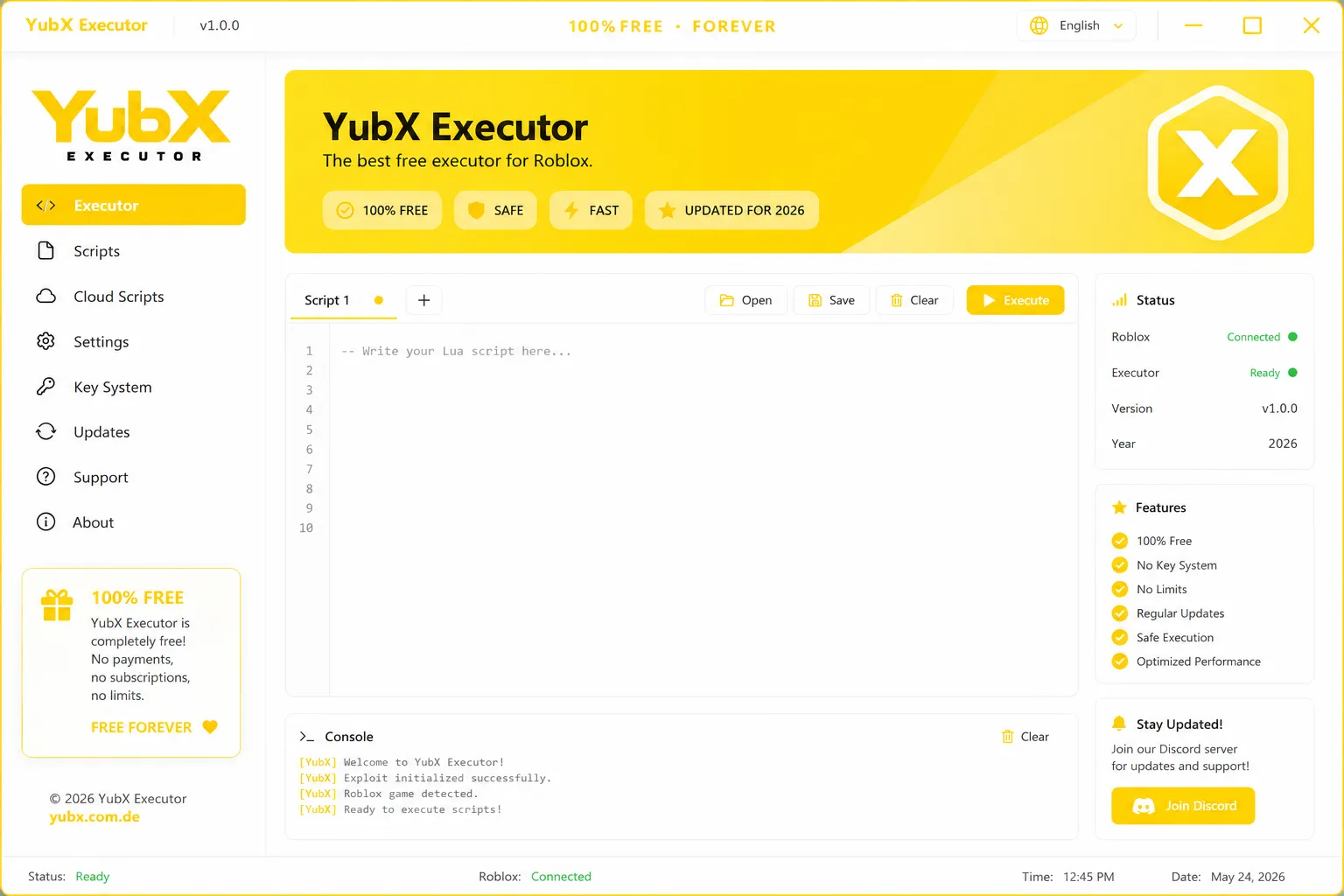
No bloat, no gates. Just a fast, stable Lua injection engine you can trust every session.
The Lua engine compiles and runs scripts in under one second. Larger scripts stay just as responsive — no freeze, no delay.
Skip every link-shortener and ad gate. YubX has no key system — open the app, attach to Roblox, run your script. That's the whole flow.
Browse a library of ready-made Lua scripts, upload your own, and pull them down on any device — no copy-pasting from notes.
Built-in anti-crash handling catches failed injects before they hit your Roblox session. You stay in-game while YubX recovers.
Execute scripts across the games you already play. YubX tracks the latest Roblox client with weekly updates so compatibility holds.
The Updates panel pulls the newest YubX build automatically. Stay current without downloading a fresh installer each time.
A tabbed Lua editor on the left, a live color-coded console below, an execution panel with method and delay controls on the right — and a status bar that turns green the moment Roblox connects. No setup guesswork required.
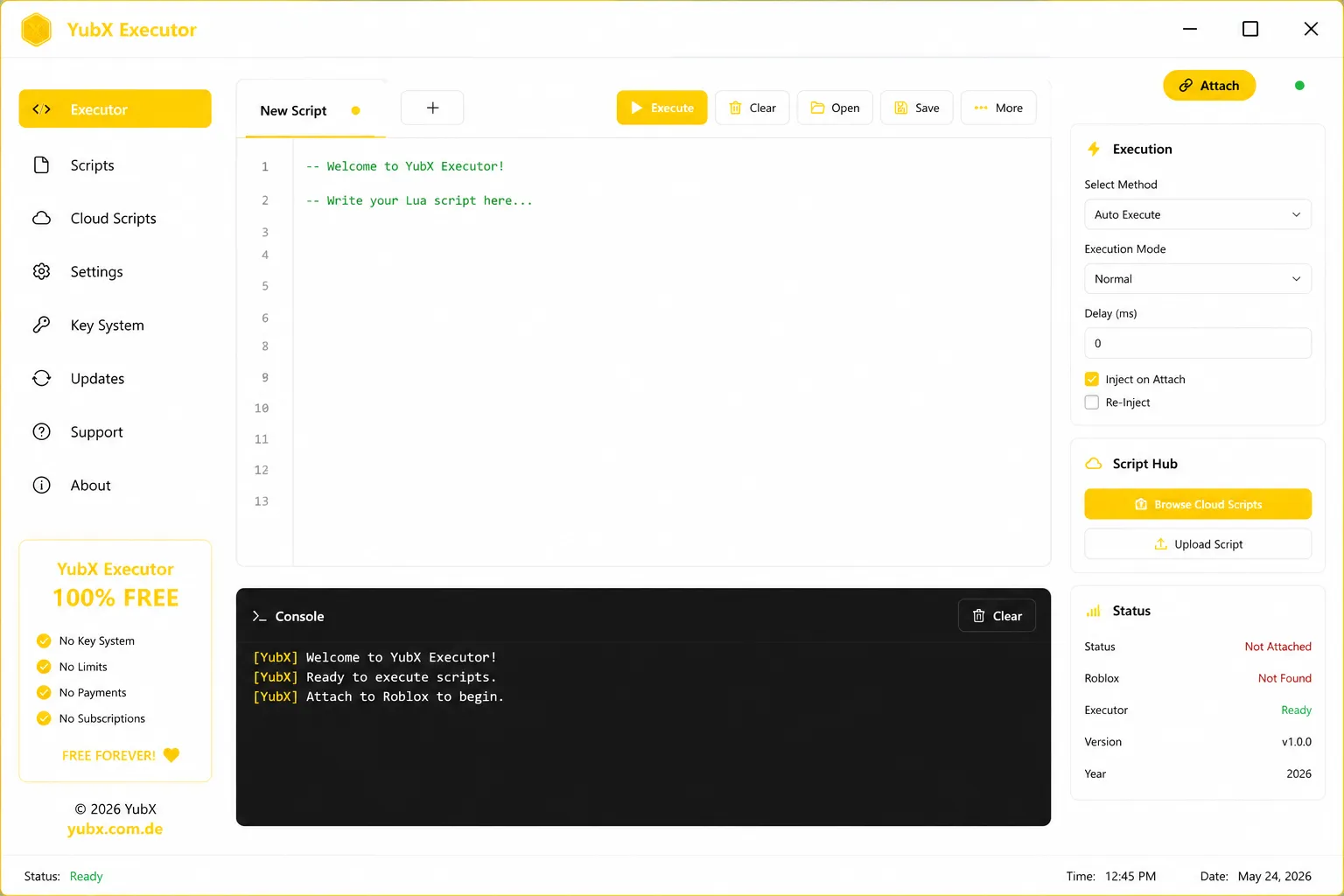
From quick tests to full community scripts — here's what the executor is used for every day.
Write a Lua function, paste it into the editor, and see exactly what it does inside a live Roblox game — no DevEx account or Studio upload needed.
DevelopersInspect how a game's remote events fire, trace data across LocalScripts, or trigger actions that surface hidden behaviour in real time.
ExplorersOpen the built-in Cloud Hub, pick a popular Roblox script, and execute it without leaving the app. No separate browser tab, no lost links.
All usersNo installer, no account, no key. Download, open, attach, execute.
Click the download button to get the latest YubX build for Windows. The file is under 20 MB — no bloat, no bundled extras.
Unzip the folder anywhere on your PC and launch the YubX app. No installer is required — it runs immediately from the folder.
Open any Roblox game, then click Attach in YubX. The status indicator turns green once the executor is connected.
Paste a Lua script into the editor and press Execute. Output appears instantly in the console below the editor.
YubX is lightweight. If you can run Roblox, you can almost certainly run YubX alongside it.
macOS and Linux builds are not available. The executor requires the full Roblox Windows client — Roblox web player is not supported.
Most free executors lock features behind a key system or charge for the good stuff. YubX doesn't.
| Feature | YubX Executor | Typical free executor | Typical paid executor |
|---|---|---|---|
| Price | Free forever | Free | $5–15 / month |
| Key system | ✓ None | Required | Usually none |
| Cloud script hub | ✓ Included | Not available | Sometimes |
| Auto-updates | ✓ Built-in | Manual | Built-in |
| Multi-tab editor | ✓ Yes | Single tab | Varies |
| Script limits | No limits | Often limited | No limits |
Small, frequent releases keep the executor current with every Roblox update.
Finally a Roblox executor with no key system. Attaches every time, console output is clear, and it hasn't crashed once.
Execution speed is miles ahead of anything else I've tried for free. The Cloud Hub saves me so much time finding scripts.
Clean interface, fast injection, and it updates itself. I switched from a paid executor and I'm not going back.
The latest stable build. No account, no key, no installer.
Yes. YubX is free with no subscription tier, no one-time payment, and no key system. Every feature you see in the screenshots is available from the moment you open the app.
No key is required, ever. Open YubX, click Attach once Roblox is running, paste your Lua script, and press Execute. There is no activation step.
YubX runs on Windows 10 and Windows 11, both 64-bit. macOS and Linux are not supported. If .NET 6.0 is not already on your PC, the app installs it automatically on first launch.
We track every Roblox client update. When an update affects injection, a YubX patch is pushed to the Updates panel within 24–48 hours. Click Apply in the panel — no re-download needed.
Use the built-in Cloud Script Hub to browse community scripts by category. You can also paste any Lua script directly, or upload your own to access it on any device.
YubX is clean. The build is scanned before release and the download is served over HTTPS. If your antivirus flags it, add an exception — Roblox executors often trigger heuristic detections due to the injection technique, not actual malware.